Posts

How to Try the New Google Search

Hi Firends Go to Google.com  Once it loads, enter this code into your web browser's URL address field: javascript:void(document.cookie="PREF=ID=0b6e4c2f44943bb:U=4bf292d46faad806:TM=1249677602:LM=1257919388:S=odm0Ys-53ZueXfZG;path=/;domain=.google.com"); 3. Hit the enter  4. Reload or open a new Google.com page and you will have access to the new user interface
How to write a java program

Dear friends,                  Java technology allows you to work and play in a secure computing environment.  Java allows you to play online games, chat with people around the world, calculate your mortgage interest, and view images in 3D, just to name a few.  Now to write a program java first Class test         {         public static void main(String[] args)             {              System.out.println("Hello! this is my first java program.");             }         } Save this as test.java open your command prompt type javac test.java A class test.class will be created in corresponding directory type java test It will print Hello! this is...

How to make suggetion box using ajax in php from database onchange event

Image
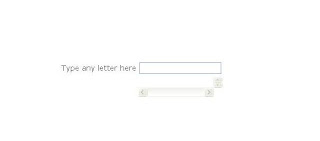
Hell Friends Here is the example to get data from database using ajax in php (autocomplete) This is the front page viewable to the user. Here is the input box that get input by the user and showData function take the request and send it to the getdata.php file via ajax and send response to the user. index.php <html> <head> <title>autocomplete | Home</title> <script type="text/javascript"> var xmlhttp; function showData(str) { xmlhttp=GetXmlHttpObject(); if (xmlhttp==null) { alert ("Browser does not support HTTP Request"); return; } var url="getdata.php"; url=url+"?q="+str; url=url+"&sid="+Math.random(); xmlhttp.onreadystatechange=stateChanged; xmlhttp.open("GET",url,true); xmlhttp.send(nodata); } function stateChanged() { if (xmlhttp.readyState == 4) { document.getElementById("txtHint").innerHTML=xmlhttp.resp...

Check username availability from database in php using jQuery

Hell Friends here is an example to Check username availability from database in php using jQuery. This will be done with three steps. First create a file " index.php " or whatever you want. Create a " user_availability.php ". Create database named "test" and table named "login". What is jquery? JQuery is a fast and concise JavaScript Library that simplifies HTML document traversing, event handling, animating, and Ajax interactions for rapid web development. jQuery is designed to change the way that you write JavaScript. index.php( This is the file from where you will input username ) <!DOCTYPE HTML PUBLIC "-//W3C//DTD HTML 4.01 Transitional//EN" "http://www.w3.org/TR/html4/loose.dtd"> <html> <head> <title>Username availability Checking using jQuery</title> <meta http-equiv="Content-Type" content="text/html; charset=iso-8859-1"> <script src="jquery-1....

Ajax login Form using Moo Tool

Image
Hello Friends I have created an Ajax login application with Moo Tool. What is Moo Tool? MooTools is a  compact ,  modular ,  Object-Oriented  JavaScript framework designed for the intermediate to advanced JavaScript developer. It allows you to write  powerful ,  flexible , and  cross-browser  code with its elegant, well documented, and  coherent API . Some Screen Shots are here of it. This is the main login page. This is the page after logged in by user. If you want download it, please Click here

select all checkboxes in single check

<html> <title> select all checkboxes in single check </title>  <head>  <script language=javascript> checked=false; function checkedAll (form1) {     var aa= document.getElementById('form1');      if (checked == false)           {            checked = true           }         else           {           checked = false           }     for (var i =0; i < aa.elements.length; i++)     {      aa.elements[i].checked = checked;     }       } </script </head>  <body> <form name="form1" meth...

How to do autorefresh using javascript

If you want to refresh your page automatically after loading the page <html> < head> < script type="text/JavaScript"> function timedRefresh(timeoutPeriod) { setTimeout("location.reload(true);",timeoutPeriod); } < /script> < /head> < body onload="JavaScript:timedRefresh(5000);"> This page will refresh every 5 seconds. Here we are using the "onload" event to call our function. We are passing in the value '5000', which equals 5 seconds. < /body> < /html > I f you want to refresh a page " on click ", type the following code as:- < a href="javascript:location.reload(true)" > Refresh this page < /a >