Posts

Showing posts with the label PHP

create filter in controller symfony2

Sometimes you need to make changes to the Response object, after it is returned by your controller, but before it is rendered as output to the client (e.g. the browser). You may want to set some extra response headers, or " completely mess up the content " of the response. You can accomplish this by creating an event listener that listens to the kernel.response event. I give you a sample event listener which changes the Content-Type header in case the requested format is json and the browser’s accepted response format contains "text/html" in that case, at least in my experience, the browser doesn’t render the JSON string as plain text when the status code is 4xx or 5xx. So in these situations, the event listener changes the “ Content-Type ” to “ text/plain ”, to be sure you always get decent output in the browser. Put the event listener in, for example /src/Acme/DemoBundle/EventListener/ResponseListener.php : namespace Acme\DemoBundle\EventListener;...

remove non ASCII characters from a String

Hi guys I had a problem with removing non-utf8 characters from string, which are not displaying properly. Characters are like this 0x97 0x61 0x6C 0x6F (hex representation). I am getting some encoded value from url. Let assume it's encoded email and value is ankitchauhan22@gmail.com When I tried to find out the length of this string as $email = somefunction($encodedStringFromUrl); $length = strlen($email); print $length; I was shocked. It's printing 37 instead of 24. Than I printed each index of this string on the string but after 24 character, nothing printed. I used trim() to remove whitespace but didn't work. Then I tried something which worked for me. This is a little snippet that will remove any non-ASCII characters from a string. $string = "ankitchauhan22@gmail.com äó"; $string = preg_replace('/[^(\x20-\x7F)]*/','', $string); Now It's printing 24.

Creating a PrestaShop module

Image
A PrestaShop module consists of: A root folder, named after the module, which will hold all of the module's files, and will reside in PrestaShop's /modules folder. A main PHP file, named after the module, located in that root folder. This PHP file should have the same name as its root folder. An icon file, named logo.gif, representing this module. Optional: some .tpl files, containing the module's theme. Optional: language files, if the module or its theme have text to display (and therefore, that should be translatable). Optional: in a /themes/modules folder, a folder with the same name as the module, containing .tpl and language files if necessary. This last folder is essential during modifications of existing module, so that you can adapt it without having to touch its original files. Notably, it enables you to handle the module's display in various ways, according to the current theme. Now I am going to create a module named Testmodule. Your module can b...

Controllers as Services in Symfony2

Controller as a service is continually touted as the best practice. But why would I wrap a controller into a service? That's good question. Well, the point of doing this in general is not having to inject the DI container into your controllers (instead, you inject the dependencies into the controller directly). Thus the controller no longer depends on the container. Good: You get added flexibility. You no longer hard-code which services to use into your controller. You can specify that in the DI configuration instead. Example: You inject a UserProvider into the UserController for /profile, but inject a FacebookUserProvider into the same UserController for /profile/facebook. Bad: You must manually configure your dependencies in the DIC config. You need to manually assign the injected dependencies. Optional dependencies are no longer lazy-loaded. This is basically just a proof of concept to show how it could be done. namespace Acme\DemoBundle\Controller; class FooContr...

run symfony command from controller

Hi Friends, Few month back I was trying to execute Symfony2 command in my controller. See how can we do that. Step 1 Register you command as service MyCommandService: class: MyBundle\Command\MyCommand calls: - [setContainer, ["@service_container"] ] Step 2 In your controller, you'll just have to get this service, and call the execute method with the rights arguments. Set the input with setArgument method: use Symfony\Component\Console\Input\ArgvInput; use Symfony\Component\Console\Output\ConsoleOutput; . . . public function myAction() { $command = $this->get('MyCommandService'); $input = new ArgvInput(array('arg1'=> 'value')); $output = new ConsoleOutput(); $command->run($input, $output); } Step 3 Either you can use the execute method of command: $command->execute($input, $ouput); But see the defination of run() and execute() methods. run () -: The code to ...

protecting php file with ionCube encoder

One of the issues PHP developers face is that PHP is an interpreted language, meaning PHP source code is readable by anybody who downloads your applications. In this article I will show you how to protect your intellectual property by encoding your PHP source code. The tool we are going to use to protect our code is ionCube PHP Encoder . Before releasing your PHP software, you use the encoder to convert your plain-text PHP files into special encrypted files. While ionCube PHP Encoder is a commercial product, there is a time-limited trial available for download . Because your PHP is encoded into a special byte-code (as opposed to just being obfuscated), a loader must be installed on your web server. A loader is a PHP module that must be installed. Fortunately, ionCube PHP Encoder is commonly used and therefore many web hosts will already have a loader installed. On the ionCube website there is a loaders page which contains the latest versions of the loader for all supported plat...

multiple cron job using same file

Hi guys, Today I am posting something about cron. 1 year back, I was getting some trouble in my project in scheduling cron. I had lots of task to be managed by cron, for that I was making multiple files. But after some research I managed those task by a single file. If your cron job accomplish similar tasks or requires the same libraries you will have to include the same files over and over to all your cronjobs ... or use this solution. Let say you have these cron jobs: 0 1 * * * /etc/lib/php -q /home/user/cron/cron1.php 15 1 * * * /etc/lib/php -q /home/user/cron/cron2.php 30 1 * * * /etc/lib/php -q /home/user/cron/cron3.php 0 2 * * * /etc/lib/php -q /home/user/cron/cron4.php And each of these cron jobs perform different tasks but use the same libraries like phpmailer, pdf creator, geoip, payment verification etc... The idea is simple, separate tasks or commands using parameters: 0 1 * * * /etc/lib/php -q /home/user/cron/cron1.php --task=task1 15 1 * * * /etc/lib...

create and execute a command in symfony 2

In Symfony 1.x a task is a command line tool to help perform tasks around the application. The same is in Symfony 2. Unfortunately in Symfony2 there is no tool to auto-generate some code for these. To create a Symfony2 Command you must to have or to create in your Bundle a folder named Command. Symfony 2 is mainly used to create web application, however, sometimes you need to extend your app and need a command line tool to help perform tasks around the application. It's one of the most stable parts of the framework and many people have already been using it for several months in many projects as it makes it really easy to develop this kind of software. And of course, everything is done in a really cool way, as many of the parts of Symfony2. Let’s see how can extremely easy create a new Command Task and custom our output. Create a file in Command Folder, for instance NewsletterCommand.php and fill it with an empty Command structure as follows <?php namespace Ankit\News...

How does caching work in Drupal?

Image
In my experience, there seems to be a lot of misunderstanding how Drupal caching works. I'm not talking about advanced caching mechanisms like Varnish, APC or memcache here, I'm talking about the core Drupal caching: page cache and block cache which are available in Drupal 7 core. Drupal 6 is similar but works a but differently because page caching was simplified for Drupal 7 (e.g. aggresive mode is now a available as a settings.php var) and the entire system also has become pluggable. Everybody knows this screen and the settings. But what do they exactly mean? What difference do they actually make? What do they do? Here is an attempt to explain the settings at '/admin/config/development/performance' . Page Caching: If enables, page caching will only be used for anonymous users. If you enable page caching, the entire HTML of each page will be stored in the database. This significantly reduces the amount of queries needed. This automatically means that bl...

get XML Namespace Elements using PHP SimpleXML

PHP has a great SimpleXML library that converts XML to an object that can be processed with normal property selectors and array iterators. I’ve been using this quite a bit lately to process some XML documents. The library documentation isn’t that great when it comes to processing Namespace Elements within your XML document. An example of such use case is when you are parsing an RSS feed that has XML Namespace elements . Consider the following example: 1 2 3 4 5 6 7 8 9 10 11 12 13 14 <?xml version = "1.0" encoding = "UTF-8" ?> <rss version = "2.0" xmlns:opensearch = "http://a9.com/-/spec/opensearch/1.1/" xmlns:dc = "http://purl.org/dc/elements/1.1/" > <channel > .... <item > <title > My Title </title > <description > My Item </description > <dc:publisher > ABC </dc:publisher > <dc:creator > DEF </dc:creator > <dc:date ...

Drupal 6 Bootstrap Process

Image
When investigating a recent rash of spam user registration on my site I began looking through Drupal core to gain a better understanding of its inner workings and how modules could be used to guard against these nuisances. Like every journey there is a beginning, and for me it all started with index.php. This is not a very big file, but it plays a vital role because access to content on any Drupal site (via HTTP GET or POST commands) is all directed to this one file. It starts off simply enough by including a bootstrap PHP file (bootstrap.inc). This file in turn defines several constants referenced throughout the Drupal code base as well as several core utility functions. Then magic begins The drupal-bootstrap function is called with the constant DRUPAL_BOOTSTRAP_FULL as argument (the function and constant previously defined by the afore-mentioend include file). This function serves to execute a series of phases in order to process all requests coming to the server. How many p...

login script with php mysql jquery

Image
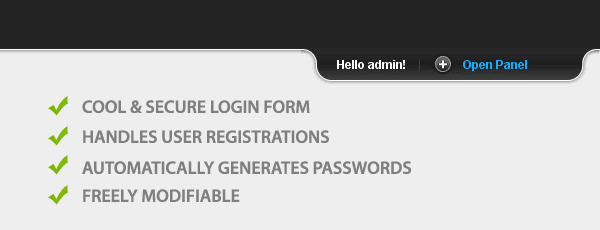
Introduction Today we are making a cool & simple login / registration system. It will give you the ability to easily create a member-only area on your site and provide an easy registration process. It is going to be PHP driven and store all the registrations into a MySQL database. Step 1 – MySQL First we have to create the table that will hold all the registrations. This code is available in table.sql . table.sql 01 -- 02 -- Table structure for table `tz_members` 03 -- 04   05 CREATE TABLE `tz_members` ( 06    `id` int (11) NOT NULL auto_increment, 07    `usr` varchar (32) collate utf8_unicode_ci NOT NULL default '' , 08    `pass` varchar (32) collate utf8_unicode_ci NOT NULL default '' , 09    `email` varchar (255) collate utf8_unicode_ci NOT NULL default '' , 10    `regIP` varchar (15) collate utf8_unicode_ci NOT NULL default '' , 11    `dt` datetime NOT NULL default '0000-00-00 00:...